Zo Reader2.7.3
Publisher Description
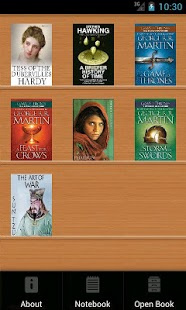
Comprehensive epub, mobi, umd, txt eBook reader with seamlessly integrated dictionary. Instant definition lookup by tapping on a word without the need of internet access!
Features:
- Support built-in StarDict/ColorDict English, Chinese, Korean, Japanese, French, German, Italian, Russian, Spanish and more dictionaries without compromise
- Over 20 free offline dictionaries available for installation and config
- Simple and fast definition search with automatic word matching
- Support TTS(Text-To-Speech)
- Support E-book format: epub, mobi(prc,azw), umd, txt
- Enjoy learning new words with completely customizable word list notebook
- Support both landscape and portrait screen reading
- Add highlights and notes
- Adjust brightness and day/night mode options
- Bookmark and reading history listing
- Customize font size, line spacing and character encoding
- Look up word with search engine and Google Translate
- Support Multi-Language, and convert your Chinese books between Simplified and Traditional Chinese.
Key words: book, e-book, reader, e-reader, dictionary download, Oxford, Longman, WordNet, Thesaurus, Merrian Webster, text, English learning
Similar apps: StarDict, ColorDict, GoldenDict,
Cool Reader, Moon+ Reader, Aldiko, Kindle, Google books, HD, Kobo, FBReader
About Zo Reader
The company that develops Zo Reader is Raymond Ho. The latest version released by its developer is 2.7.3. This app was rated by 13 users of our site and has an average rating of 4.4.
To install Zo Reader on your Android device, just click the green Continue To App button above to start the installation process. The app is listed on our website since 2014-01-03 and was downloaded 1,822 times. We have already checked if the download link is safe, however for your own protection we recommend that you scan the downloaded app with your antivirus. Your antivirus may detect the Zo Reader as malware as malware if the download link to com.zoreader is broken.
How to install Zo Reader on your Android device:
- Click on the Continue To App button on our website. This will redirect you to Google Play.
- Once the Zo Reader is shown in the Google Play listing of your Android device, you can start its download and installation. Tap on the Install button located below the search bar and to the right of the app icon.
- A pop-up window with the permissions required by Zo Reader will be shown. Click on Accept to continue the process.
- Zo Reader will be downloaded onto your device, displaying a progress. Once the download completes, the installation will start and you'll get a notification after the installation is finished.
Program Details
System requirements
Download information
Pricing
Version History
version 2.7.3
posted on 2014-01-03
version 2.6.9
posted on 2013-04-26
Several fixes and updates
